
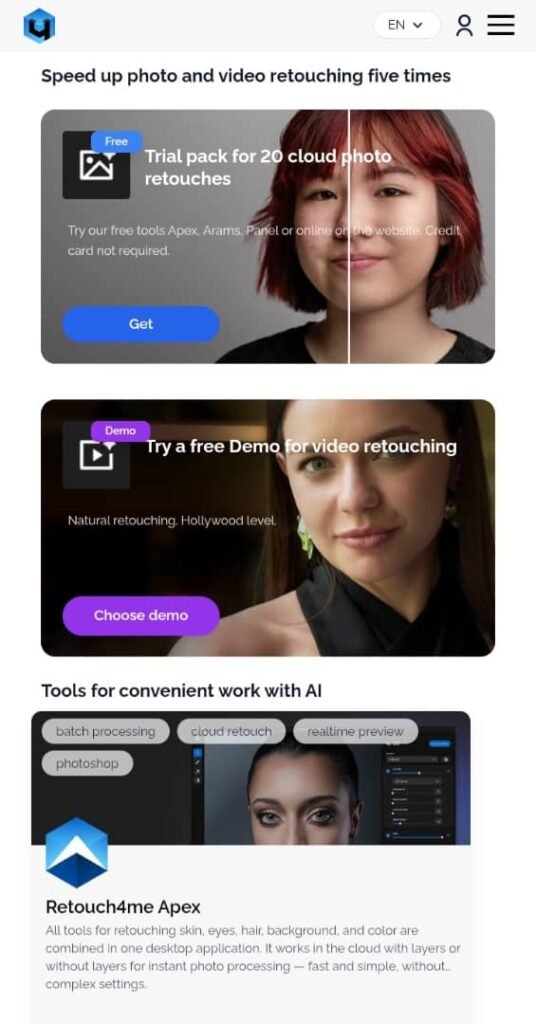
In today’s fast-paced digital photography world, having reliable support for your tools isn’t a luxury — it’s essential. Retouch4me has rapidly become one of the most popular suites of AI-powered retouching solutions for photographers, creatives, and retouchers worldwide. Behind this popularity is not only advanced software technology, but also a structured support experience designed to help users solve problems quickly, learn the product, and keep their workflows moving. In this guide, we explore everything you need to know about Retouch4me Support — how it works, what resources are available, how to get help, and why it matters.
What Is Retouch4me? A Quick Overview
Retouch4me is a suite of artificial intelligence-driven photo and video retouching tools developed for professionals and enthusiasts alike. With a focus on natural results and streamlined workflows, Retouch4me tools help automate time-consuming editing tasks such as skin retouching, color matching, and more — without sacrificing the texture and nuance of the original image. The software is used worldwide and integrates as standalone apps, Photoshop plugins, or through cloud-based services.
Users can apply plugins directly in Photoshop, use tools such as Arams for batch editing, or access a centralized Photoshop Panel that includes multiple plugins and cloud retouching options.
Given the sophistication of these tools and the diversity of creative workflows, Retouch4me offers robust support structures to help every user — from beginners to seasoned professionals.
How to Access Retouch4me Support
Retouch4me provides multiple support channels to assist its users:
1. Online Support Page
The central hub for help is the official Support section on the Retouch4me website. From here, users can explore frequently asked questions (FAQs), tutorials, blogs, and how-to guides — all categorized clearly to help troubleshoot common issues.
2. Live Chat Support
One of the most valued features is the 24/7 live chat support. Users logged into their personal account can initiate a chat to get assistance from the support team in real time — whether it’s help installing plugins, activating keys, or resolving technical issues.
3. Ticket System
Users can also submit support requests or tickets directly through their personal account’s Support tab. This is especially useful for more complex issues or problems requiring step-by-step investigation. The website notes that response time during business hours is typically around 2 hours, although it can vary depending on demand.
4. Email Support
For those who prefer direct communication, contact via email (e.g., support@retouch4.me) is another option. This method is ideal for issues where visuals or detailed explanations need to be shared, such as error logs or example images.
Types of Issues the Support Team Can Help With
Retouch4me support isn’t limited to just troubleshooting — the team helps with a wide range of topics:
Technical Troubleshooting
This includes assistance with:
- Installation hiccups on macOS or Windows
- Plugin crashes or unexpected behavior
- Software compatibility with host applications like Photoshop or DaVinci Resolve
Many users report fast and helpful solutions from support agents for precisely these issues, often resolving complex errors in minutes.
License & Activation Assistance
When switching devices, upgrading systems, or reinstalling software, users sometimes encounter licensing challenges. Since some Retouch4me plugins require activation or de-activation procedures, support staff often step in to help reset or reassign keys properly.
Workflow Recommendations
Beyond fixing problems, support can also guide users on how best to integrate Retouch4me tools into their existing workflows — for example, how to use Arams for batch processing, or how to work with the Retouch4me Panel for optimized retouching.
Educational Resources
Support isn’t only reactive — it’s proactive. The knowledge base includes tutorials, detailed tips, webinars, blog posts, and RAW downloads to help users learn how to get the most from their tools.
Multilingual Support and Global Access
The Support page and resources are available in multiple languages, including English, Russian, Portuguese, Spanish, German, Japanese, Korean, and others — making the tools accessible to a global audience.
Moreover, the support operates across multiple time zones, assisting users in Europe, the Americas, and Asia-Pacific regions.
Real-World Support Experiences: User Feedback
Customer experiences with Retouch4me support are broadly positive:
- Fast response times: Many photographers praise support for quick and effective help, sometimes resolving technical issues in under five minutes.
- Professional and friendly agents: Users frequently mention individual support agents by name (e.g., Tim, Maria, Anastacia), noting their patience, clarity, and helpfulness.
- Activation & installation help: Several testimonials highlight support helping with plugin activation, reinstalling after OS upgrades, and configuring tools correctly.
At the same time, no support system is perfect. A small number of users have left critical feedback — for example, regarding perceived slow responses or communication frustrations. Retouch4me publicly acknowledges that not every interaction matches their standards, and they review such cases internally to improve.
Tips for Getting the Best Support Experience
To ensure the fastest and most accurate support:
- Use official channels: Always contact support through the live chat or ticket system inside your Retouch4me account.
- Provide detailed information: Include screenshots, error messages, your operating system, and the software environment (e.g., Photoshop version) when reporting issues.
- Check the knowledge base first: You might find instant answers in the FAQ or tutorial sections without waiting for staff reply.
- Be clear about your workflow: Sometimes, unexpected behavior comes from usage patterns rather than software bugs.
Final Thoughts: Why Good Support Matters
Retouch4me’s support ecosystem is a cornerstone of its value proposition. Not only does it empower photographers to troubleshoot swiftly, but it also builds trust in the product and helps users unlock the full potential of their AI tools. Whether you’re a beginner dipping your toes into AI-assisted editing or a professional handling demanding workflows, reliable support can make all the difference. With a wide range of channels, fast response times, and a deep knowledge base, Retouch4me Support sets a high standard in the creative software space.